
Rule 10
My City and Team
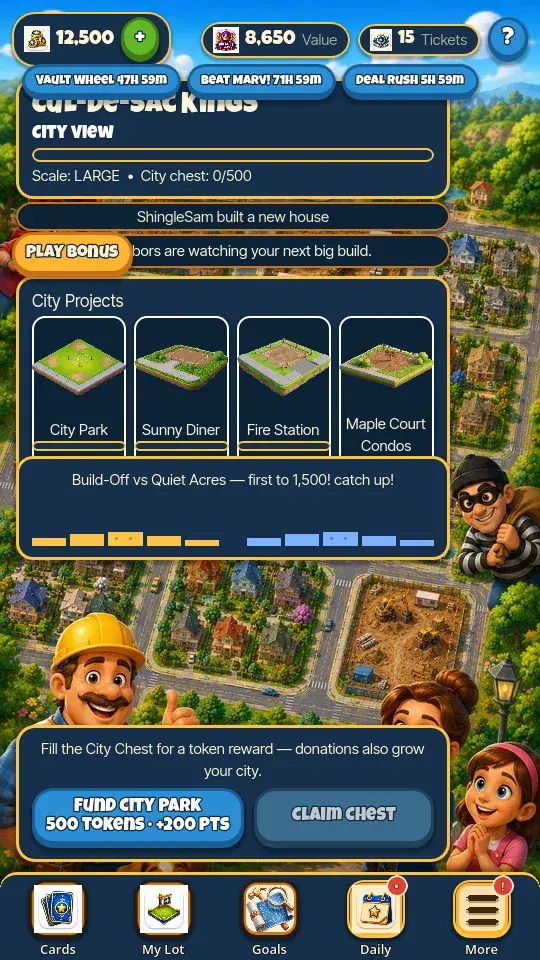
Join a City to appear on its roster and use City and Team activities. Every City has its own neighbours, so the crew on your Team page changes with the City you are in. Leaving gives up your City Score along with that City's shared chest and project progress — score is earned in a City and it stays there.
- Every real player in your City gets their own row on the City Rankings board, however many of you there are — the seeded neighbours only fill the seats nobody has taken. The Mayor is whoever holds the most City Score in that City. Joining a new City starts you at zero, so you climb the board there from the bottom. If you tie a neighbour on score, a real player is always placed above a bot.
- Team chat and any open requests belong to the City you were in. Move City and you arrive to a clean board and that City's own chat room — nothing follows you across.
- Team supports real chat with other players (be kind — messages are visible to everyone), requests for Tokens or eligible common build cards, repair requests, and donations to teammate asks. Limits and cooldowns are shown on the request.
- Chat reads oldest to newest, so the newest message sits at the bottom right above the box you type in. Tap a teammate's message to report it or block that player; blocked players are listed in Settings, where you can unblock them. City teammates only ever REPLY there — a thank-you when you help them. Their own asks are not chat: they appear as cards on the City Rankings board, which is where you act on them.
- Real contributions add City Score and can fund the active project and City Chest. Claim a ready chest from its screen.
- Read the recipient, amount, card, and reward before helping; donated Tokens or cards leave your wallet or inventory.
Rule 11
The Team Race
Once a week your team races a rival team for 48 hours, and you score by catching burglars raiding your street. The board shows three running totals — your own score, your team's, and the rival team's — and every burglar you catch adds to the first two.
- Team Race cards drop from the card table ALL WEEK, and each one is a HAMMER. They stack with no cap, so bank them — a card you save now is a swing on race day.
- The race runs once a week for 48 hours, and it starts at a time you cannot look up in advance. Watch for the Race icon in the bottom bar, which appears a day ahead with a countdown on it, and turn on reminders to be told 30 minutes before the start.
- One hammer buys 10 burglars. There is no clock on a round — you play until your hammers run out, and a hammer is only spent when the first burglar pops, so leaving mid-round costs you nothing and keeps the points you already scored.
- A burglar pays 10 to 30, a burglar carrying a loot sack pays 150, and the COP costs you 75 — he is on your side, so leave him alone. The sign a burglar holds up is the loot you got back.
- BOTH teams are paid when the window closes, the winners more (the winning team collects 300 Tickets), but you must score at least 100 points yourself to collect anything at all.
Rule 12
Goals and daily play
The Foreman's Board tracks daily, weekly, and chapter goals. Claim a completed goal from its card unless its result explicitly says the reward was automatic.
- Daily Bonus shows the current login reward and streak. A qualifying absence may offer a separate comeback reward.
- In-game badges can surface Ticket recovery, rent, jail, City activity, and other ready states. Supported device reminders cover Ticket away recovery and neighborhood comeback or attack news when permission is available.